
Limited-time Udemy offer
$9.99
Leadership For Project Managers Leading People And Projects
Unlimited redemptions
Available until September 18, 2026 5:09 PM PDT
66D6FD5906E09C4284FE
Traditional project status flows through a person. Stakeholders want to know how things are going, so they ask the project manager. The PM synthesizes reports, schedules status meetings, and translates the messy reality of ongoing work into a summary that everyone else then interprets. The information is always mediated, always filtered, and always at least a few days behind what is actually happening on the ground. If the PM is a skilled communicator, the picture is reasonably accurate. If the PM is busy, optimistic, or conflict-averse, important signals get softened or lost.
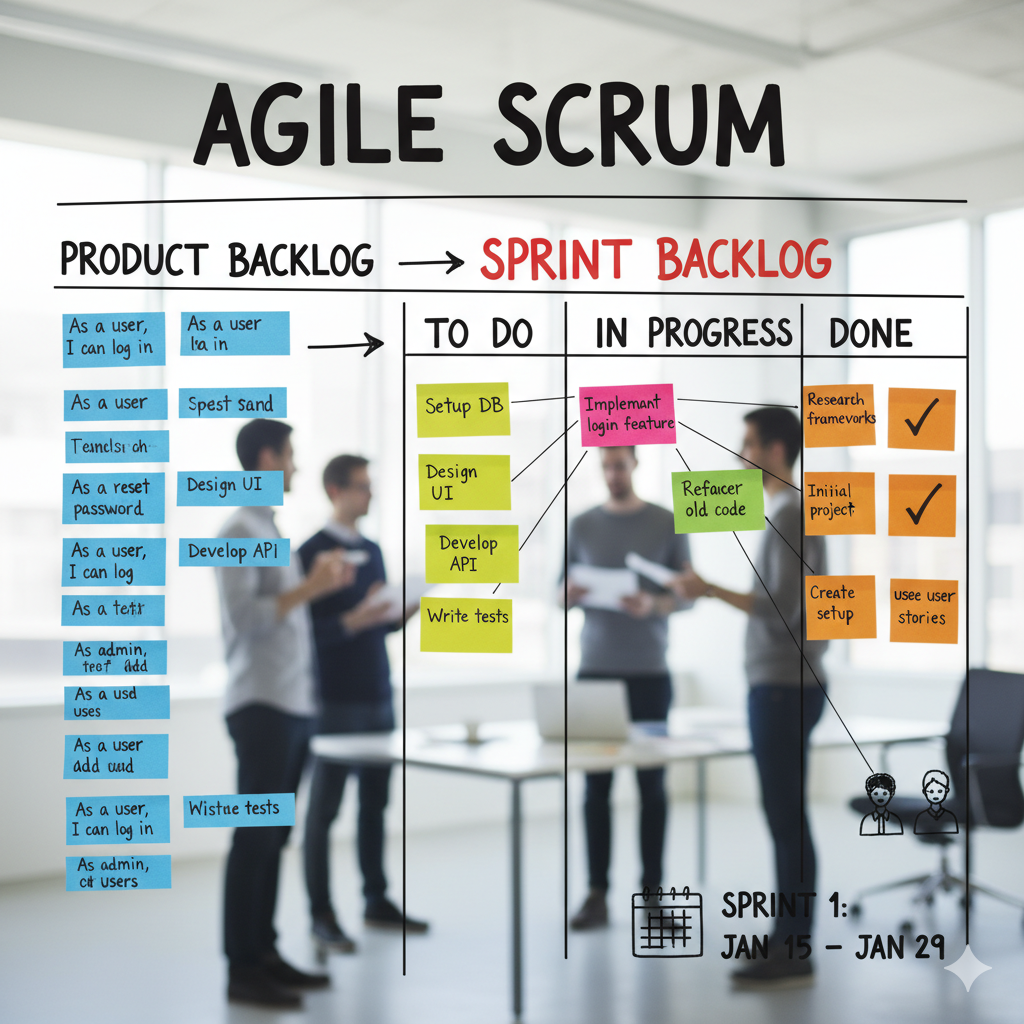
Scrum replaces that mediation with artifacts. The product backlog, the sprint backlog, and the increment are not reports about work. They are the work itself, made visible. Any stakeholder who wants to know what is planned, what the team is building this sprint, and what has actually been completed can look at the artifacts and draw their own conclusions. This is one of the underappreciated reasons agile teams move faster: decisions do not wait for the PM to compile and distribute a status update. The current state of the work is always present, always readable, and always honest about what is actually happening.
The three artifacts form a coherent information system. The product backlog answers the question: what are we building, and in what order does it matter? The sprint backlog answers a narrower question: what did the team commit to delivering in the next two weeks, and how are they planning to do it? The increment answers the most important question of all: what has been completed, verified, and is ready to use? Together, these three artifacts replace the status report with a living, real-time record that anyone on the team or outside it can read without scheduling a meeting. When all three are maintained honestly and consistently, a five-minute review tells you more about project health than a ninety-minute status call ever could.
This chapter covers what each artifact contains, who owns it, and what breaks when it is poorly maintained. These are not abstract concepts. Every Scrum team you encounter will be using some version of these artifacts. Your ability to assess whether a team is using them well, or using the labels while missing the discipline, is one of the most practical skills you can develop in agile project management.
| Priority | Epic | User Story | Points | Status |
|---|---|---|---|---|
| 1 | Field Activity Logging | As a field rep, I want to log a completed job with photos attached, so that dispatch has a visual confirmation record. | 5 | Sprint-ready |
| 2 | Field Activity Logging | As a field rep, I want to record parts used on each job, so that inventory is updated without manual re-entry. | 3 | Sprint-ready |
| 3 | Communication Tools | As a field rep, I want to message dispatch from the mobile app, so that I do not need to switch between tools during a job. | 3 | Sprint-ready |
| 4 | Performance Dashboards | As a manager, I want to see each technician's completed job count by week, so that I can identify workload imbalances before they affect service delivery. | 8 | Refinement needed |
| 5 | Performance Dashboards | As a manager, I want to filter dashboard data by region and team, so that I can compare performance across service areas. | 5 | Refinement needed |
| 6 | Mobile Notifications | As a field rep, I want to receive a push notification when a new job is assigned, so that I can respond without checking the app manually. | 3 | Backlog |
| 7 | Admin Configuration | As an administrator, I want to create and deactivate user accounts, so that access reflects the current team roster. | 2 | Backlog |
The product backlog is an ordered list of everything the product might need, organized in service of a long-term objective called the Product Goal. At first reading, that sounds like a requirements document. The difference is in how the backlog is maintained and who controls it. A requirements document is typically produced at the start of a project, approved through a formal process, and changed only through official change control. The product backlog is the opposite: it changes constantly as the team learns more about what the product needs, what users actually want, and what the market actually rewards. A backlog from six months ago that looks exactly like the backlog today is a sign that the PO is not doing the job. The backlog should reflect what the team knows now, not what they assumed when the project started.
The Product Owner is the single decision-maker for what goes on the backlog and in what order. This is not a committee decision, and that centralization is intentional. When multiple stakeholders have equal authority over the backlog, it quickly becomes a list where every item is urgent, nothing is truly prioritized, and the team has no clear signal about what matters most. The PO's job is to absorb competing stakeholder interests, apply judgment about user and business value, and produce a single ordered list that the team can execute against. When a new request comes in from sales, engineering, or the executive team, it goes to the PO. The PO decides whether it belongs in the next sprint, several sprints from now, or not on the backlog at all. This can create friction, particularly when senior stakeholders expect their requests to move immediately to the top. The Scrum Master supports the PO in maintaining that boundary.
Four characteristics separate an effective backlog from an ineffective one. First, effective backlogs are ordered by value, not by technical dependency or implementation convenience. The most important items sit at the top because the team pulls from the top. If the backlog is organized by module, development area, or technical layer, the team builds what is architecturally convenient rather than what delivers the most value to users. Second, the top items are refined: clearly described, sized well enough to estimate, and accompanied by acceptance criteria. A team member should be able to pick up a refined story and start work without a long discovery conversation. Items in the lower half of the backlog can be vague, because the team will refine them before they ever reach a sprint. Third, the backlog is never done. New items arrive as the team learns. Existing items get reordered as priorities shift. Items that once seemed urgent get removed when the product direction changes or users turn out not to want them. Fourth, the PO actively curates rather than just accumulates. Items are not added and then forgotten. Anything that sits at the bottom for multiple cycles either gets prioritized, refined, or removed. A backlog with three hundred items, most of which have never been discussed or estimated, is not a product backlog. It is a wish list dressed up in agile terminology.
A software team at a mid-sized logistics company arrived at sprint planning with a backlog of two hundred and forty items. Fewer than thirty had acceptance criteria. Items were organized by module rather than by priority. Three different stakeholders had added items in the previous two weeks without the PO's review. The planning session, scheduled for two hours, ran for five because the team spent most of it figuring out which items were even candidates for the sprint. The root cause was not a Scrum process failure. It was a backlog maintenance failure. The fix was a dedicated backlog refinement session before every planning meeting, with the PO responsible for ensuring the top twenty items were fully ready before the session began.
The relationship between the backlog and the sprint is direct and consequential. The team pulls the top items from the product backlog into the sprint backlog during planning. This means the quality of every sprint is constrained by the quality of the items sitting at the top of the product backlog. Unclear items produce unclear sprints. Items without acceptance criteria produce arguments at the sprint review. Items organized by technical convenience produce sprints that ship working code with no visible user value. Backlog quality is not an administrative concern. It is the upstream determinant of delivery quality, and treating it as such is one of the clearest markers of a mature Scrum team.
The sprint backlog is a different document with a different purpose, and the distinction matters more than it might initially appear. The product backlog represents everything the product might eventually need across all future sprints. The sprint backlog represents the team's specific commitment for one sprint and nothing more. During sprint planning, the team reviews the top items in the product backlog, selects what they believe they can complete by the end of the sprint, and breaks that work into concrete tasks. Those selected stories plus the tasks required to deliver them form the sprint backlog. The team enters the sprint with a clear contract: these are the things we have committed to completing by the sprint review.
| Story | Task | Owner | Status | Est. (hrs) |
|---|---|---|---|---|
| Log completed job with photos (5 pts) | Build photo upload API endpoint | Dev A | Done | 6 |
| Build mobile UI for photo attachment | Dev B | In Progress | 8 | |
| Write automated tests for upload flow | QA | To Do | 4 | |
| Record parts used per job (3 pts) | Build parts selection UI from inventory list | Dev B | To Do | 6 |
| Connect parts log to inventory update service | Dev A | To Do | 5 | |
| Message dispatch from mobile app (3 pts) | Integrate messaging API with app | Dev C | In Progress | 8 |
| QA test under low-connectivity conditions | QA | To Do | 4 |
The Sprint Goal is the team's commitment for the sprint: it defines what they are trying to achieve and does not change once the sprint begins. The Sprint Backlog itself is a living plan that developers can update as they learn. A task uncovered mid-sprint can be added. An estimated task that turns out to need different work can be replaced. What cannot happen without cost is allowing external stakeholders to insert new stories that shift the sprint's direction. When that boundary breaks, several things fail at once. Planning becomes pointless because the plan changes daily. The sprint goal dissolves as the team chases new priorities. Velocity measurements lose meaning because the denominator keeps shifting. Stakeholders learn that expressing urgency mid-sprint gets items moved in, which creates an incentive to manufacture urgency. The sprint becomes a continuous-flow queue with two-week cycles rather than a time-boxed commitment, and the predictability that Scrum is supposed to provide quietly disappears. Protecting the Sprint Goal is not a bureaucratic rule. It is what makes the team's commitment credible.
That said, practitioners who have run Scrum teams for any length of time know that genuine emergencies occasionally force sprint changes that touch the Goal itself. A critical defect in production affecting paying customers might justify pulling a story out and replacing it with a hotfix. A regulatory change with an imminent deadline might require stopping current work and redirecting the sprint. These situations exist and pretending otherwise produces doctrine divorced from reality. The important word is "occasionally." When a sprint change is genuinely necessary, it should be negotiated explicitly between the Scrum Master, the Product Owner, and the development team. The team should agree on what gets removed to make room for the new item. The replanning should be transparent and documented. If sprint scope changes are happening in every sprint, the team is not running Scrum with occasional exceptions. They are running ad-hoc development with a Scrum vocabulary layered on top, and the distinction matters when diagnosing why delivery is unpredictable.
Ownership of the sprint backlog belongs to the development team exclusively. The PO selects which stories from the product backlog are worth building. The team decides how to build them, what tasks are required, and how to organize the work within the sprint. No one outside the team adds tasks to the sprint backlog or reprioritizes items during execution. If a stakeholder has a new request, it goes to the PO, who adds it to the product backlog and decides where it belongs in priority order. If it is urgent, the PO raises it with the Scrum Master, who facilitates a conversation about whether it warrants a sprint change. The development team does not hear about it informally in the hallway and quietly absorb it into the sprint. This boundary is not meant to shield the team from reality. It is meant to ensure that every change to the sprint is a conscious, negotiated decision rather than a reactive accumulation of unplanned work.
The third Scrum artifact is the Increment. Every product backlog item the team completes in a sprint, provided it meets the team's quality standard, becomes part of the Increment. The Increment is not in-progress work. It is the sum of all completed, verified, usable work accumulated across the current sprint and every sprint before it. By the end of each sprint, the Increment must be in a usable condition whether or not the Product Owner chooses to release it. That usability requirement is what separates a genuine increment from a pile of code that happens to be finished.
Each of the three Scrum artifacts carries a commitment: the Product Backlog carries the Product Goal, the Sprint Backlog carries the Sprint Goal, and the Increment carries the Definition of Done. The Definition of Done is the quality standard that determines whether a completed item can be counted as part of the Increment. When teams skip that standard under delivery pressure, incomplete work accumulates sprint by sprint and the Increment quietly understates the real amount of remaining effort. The full mechanics of the Definition of Done are covered later in this chapter.
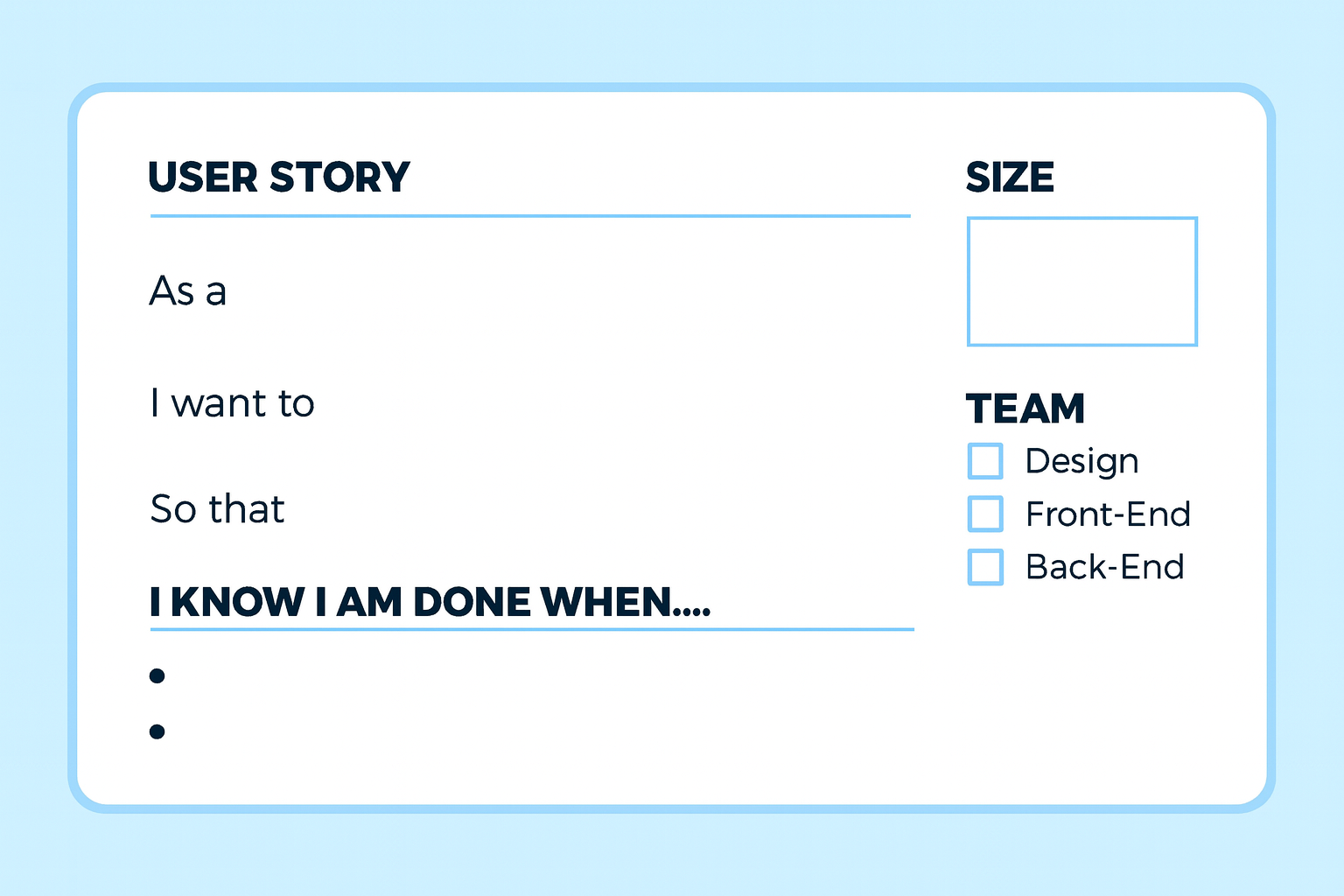
A user story is the most common format for expressing backlog items in Scrum, though the Scrum Guide does not mandate it. User stories are a widely adopted practice, not an official Scrum artifact. The idea behind them is simple enough to state in one sentence: requirements should describe what a person is trying to accomplish, not what a system should technically do. The standard format is "As a [user type], I want [specific action], so that [concrete benefit]." Three parts, each doing distinct work. The user type names who is affected. The action describes the specific system behavior the user needs. The benefit explains why the user wants it, which is the part that most technical requirement formats omit entirely.
Consider a team building Pulse, a customer relationship tool for sales organizations. A technically-framed requirement might read: "Implement a consolidated activity log endpoint that aggregates interaction data from the email tracking, phone logging, and meeting scheduling subsystems." That sentence tells developers what to build. It tells no one why it matters, who it serves, or what problem it solves. The user story version reads: "As a sales representative in a field role, I want to see all customer interactions logged in one view, so that I can prepare for a call without switching between three separate systems." This version immediately communicates who is affected, what they are trying to do, and what friction the feature removes. It also constrains the design conversation in a useful way: if a proposed solution does not help a field sales representative prepare for calls, it may not be the right solution regardless of how technically clean it is.
The specificity of the user type deserves particular attention. "As a user" is nearly useless as a persona. A user could be anyone, which means the story could mean anything. "As a sales representative in a field role" narrows the persona enough to make real design decisions. Field representatives work on mobile devices, often in poor connectivity, with limited preparation time before a client call. Those constraints change the design. They suggest a mobile-first layout, fast load times, offline caching, and a streamlined view rather than a dashboard dense with analytics. The persona drives the design. A vague persona produces a design that satisfies everyone abstractly and serves no one particularly well.
Acceptance criteria transform a user story from a narrative into a testable requirement. For the Pulse story above, acceptance criteria might read: the consolidated view must load in under two seconds on a standard mobile connection, display the last twelve months of interaction history across email, phone, and meeting categories in a single chronological feed, and be accessible through any mobile browser without requiring a dedicated application install. These criteria define what "done" means for this specific story. They are not the team's overall Definition of Done for the sprint. They are the story's own completion standard. When the sprint review arrives and a stakeholder questions whether the story is finished, the acceptance criteria answer the question. Without them, "done" is a negotiation, and those negotiations tend to happen at the worst possible moment.
Anti-patterns in user story writing appear consistently enough across teams that they are worth naming directly. Technically framed stories, such as "As a developer, I want a database index so that queries run faster," skip the user entirely and usually bundle several pieces of work into a single item. Stories too large to complete in a single sprint should be split before they enter the backlog; an item the team estimates at four sprints is an epic in disguise, not a story. Stories without acceptance criteria create the silent ambiguity that surfaces at the sprint review when the stakeholder's picture of done turns out to differ significantly from the team's picture. Each of these anti-patterns has the same root cause: the story was written to satisfy a documentation requirement rather than to communicate clearly between the people who need something and the people building it.
Two techniques are widely used alongside user stories to help teams estimate and prioritize backlog items. Planning Poker is a collaborative estimation approach where each team member privately selects an estimate from a set of story point values, typically following a Fibonacci-like sequence (1, 2, 3, 5, 8, 13), then reveals their selections simultaneously. When estimates diverge significantly, the team discusses the assumptions behind the spread. A developer who estimated 2 points and a colleague who estimated 13 for the same story are not disagreeing randomly: they have different mental models of the scope, technical risk, or complexity involved. Planning Poker surfaces that disagreement during backlog refinement, where it can be resolved through discussion, rather than during the sprint, where it surfaces as an overrun.
MoSCoW is a prioritization framework often applied during backlog refinement when the team needs to make explicit decisions about what is truly required for a given release. Items are categorized as Must have (required for any viable release), Should have (important but manageable without in this cycle), Could have (desirable if capacity permits), and Won't have this time (deferred, not abandoned). The framework converts the stakeholder conversation from "what do you want?" to "what can you live without?" which is almost always the more productive question when competing priorities need to be resolved and the team cannot build everything at once.
Epics and the Minimum Viable Product are common agile practices used alongside Scrum, not official Scrum artifacts. The Definition of Done is the Increment's commitment, introduced above; the detail on how to write and apply it follows here. All three address specific failure modes that emerge without them.
An epic is a large body of work too big for a single sprint and too coherent to dissolve into unrelated stories. "Customer 360 View" as an epic might contain five user stories: consolidated interaction history, upcoming meetings displayed at a glance, contact information with edit access, deal stage visibility from the CRM, and a notes field synchronized across devices. The epic groups these stories under a common user-facing goal. This matters for two reasons. First, it gives the PO a way to talk with stakeholders in feature terms. Most stakeholders think in features and capabilities, not in individual user stories. When a product roadmap is expressed in epics, it is legible to business leaders who are not embedded in the sprint cycle. Second, epics help the team see the shape of larger work before it is fully decomposed. A team that knows they are working on the Customer 360 epic understands the context for each individual story, which tends to produce better design decisions and fewer integration surprises.
The Minimum Viable Product is the smallest version of a product that delivers real value and generates real feedback. Both halves of that definition matter. "Real value" means the MVP must actually work and actually serve the user. It is not a prototype, which tests a design assumption in a controlled setting. It is not a proof of concept, which demonstrates technical feasibility to an internal audience. An MVP goes to real users doing real work, and their reactions become the team's next set of decisions. "Real feedback" means the team learns something actionable from how users engage with it. If sales representatives use the Pulse consolidated view, find it helpful, and ask what comes next, the team has confirmed the core premise. If they open it once and return to their three separate systems, the team has learned something equally valuable: the problem exists but the solution does not fit the workflow. That learning, uncomfortable as it is, is far cheaper to acquire before the team builds four more features on a flawed foundation.
The MVP concept is also a discipline against over-engineering, which is one of the most common and expensive failure modes in product development. A team building Pulse could spend six months designing a comprehensive platform with integrated analytics, predictive call scheduling, and AI-generated call summaries before a single sales representative ever touches it. The MVP approach forces a harder question: of everything we could build, what is the one thing we must build to find out whether this product is worth building? That question is uncomfortable because it demands genuine prioritization. It exposes the difference between what the team finds technically interesting and what users will actually use. It also creates accountability for the assumption that the product creates value at all, rather than deferring that accountability until everything has been built.
The Definition of Done is the team's shared standard for what "finished" means, applied consistently to every item that moves to "done" on the sprint board. A Definition of Done for a software development team might include: code reviewed by a second developer, all acceptance criteria verified manually or through automated tests, automated test coverage above eighty percent for any new code added, documentation updated in the team's shared wiki, and a security scan completed with no new critical findings. The specific contents vary by team, technology stack, and industry. What matters is that the definition is explicit, agreed by the whole team before the sprint begins, and applied without exception to every story.
Without a shared Definition of Done, "done" means different things to different people on the same team. One developer considers code done when it compiles and passes their local test suite. Another considers it done when a second developer has reviewed it, the branch has been merged, and the build is green on the CI server. A third considers it done when the acceptance criteria have been verified and the story has been demonstrated to the PO. When these definitions coexist without any of the three people knowing they disagree, quality gaps accumulate silently sprint by sprint. By the time the pattern becomes visible, the cost of cleaning it up is significantly higher than it would have been to set the standard at the start. The Definition of Done is not administrative overhead. It is the floor that prevents the team's quality standard from quietly eroding under sprint delivery pressure, one slightly-incomplete story at a time.
A development team running two-week sprints for a financial services client closed out their fourth sprint reporting eighteen stories completed. During the release preparation that followed, the QA lead discovered that nine of the eighteen stories had not been integrated into the release branch, four had not been reviewed by a second developer, and three had no automated test coverage despite the team's stated standard. The team was not cutting corners intentionally. They had never formally agreed on what "done" meant, and each developer had internalized a slightly different standard. The release was delayed by two weeks. The fix required three sessions to negotiate and document a shared Definition of Done that the team then applied prospectively from sprint five onward.
The next chapter covers Kanban, work-in-progress limits, and how organizations extend agile thinking across multiple teams working on shared products.
Lead with clarity, confidence, and real impact. This Leadership for Project Managers course turns day-to-day challenges—unclear priorities, tough stakeholders, and cross-functional friction—into opportunities to guide teams and deliver outcomes that matter.
You’ll learn practical leadership skills tailored to project realities: setting direction without overcontrol, creating alignment across functions, and building commitment even when authority is limited. We go beyond theory with tools you can use immediately—one-sentence visioning, stakeholder influence maps, decision framing, and feedback scripts that actually land.
Expect hands-on frameworks, real-world examples, and guided practice to prepare for tough moments—executive readouts, resistance from stakeholders, and high-stakes negotiations. Downloadable templates and checklists keep everything actionable when the pace gets intense.
Learn alongside professionals around the world working in project leadership and delivery.
Explore the CourseHK School of Management provides world-class training in Project Management with AI and Agile Methodologies. Practical skills, tools, and guidance you can apply right away. Covered by Udemy's 30-day refund policy.
Learn MoreUnlimited redemptions
Available until September 18, 2026 5:09 PM PDT
66D6FD5906E09C4284FE