Most project managers use AI like a smarter search box. One question in, one answer out, then back to work. Very few have built anything that keeps working after the chat window closes. This article shows you how to build exactly that, without writing a line of code, and it gives you the whole method before it asks you for anything.
If you run delivery, you already use AI. Almost everyone does. In the AI4Agile Practitioners Report 2026, which surveyed 289 agile practitioners, 83% said they use AI tools. Only 15% said they had received any formal training on using AI in agile work. That gap is not a statistic about the industry. It describes your week.
You got good at prompting, and you are still typing the same brief every sprint. That is not a discipline problem, and it is not you prompting badly. It is a ceiling. You are still the one pasting in the data and reformatting the output, and the next sprint you do it all again. A better prompt makes the hour better. It does not give you the hour back.
The method, given away in full
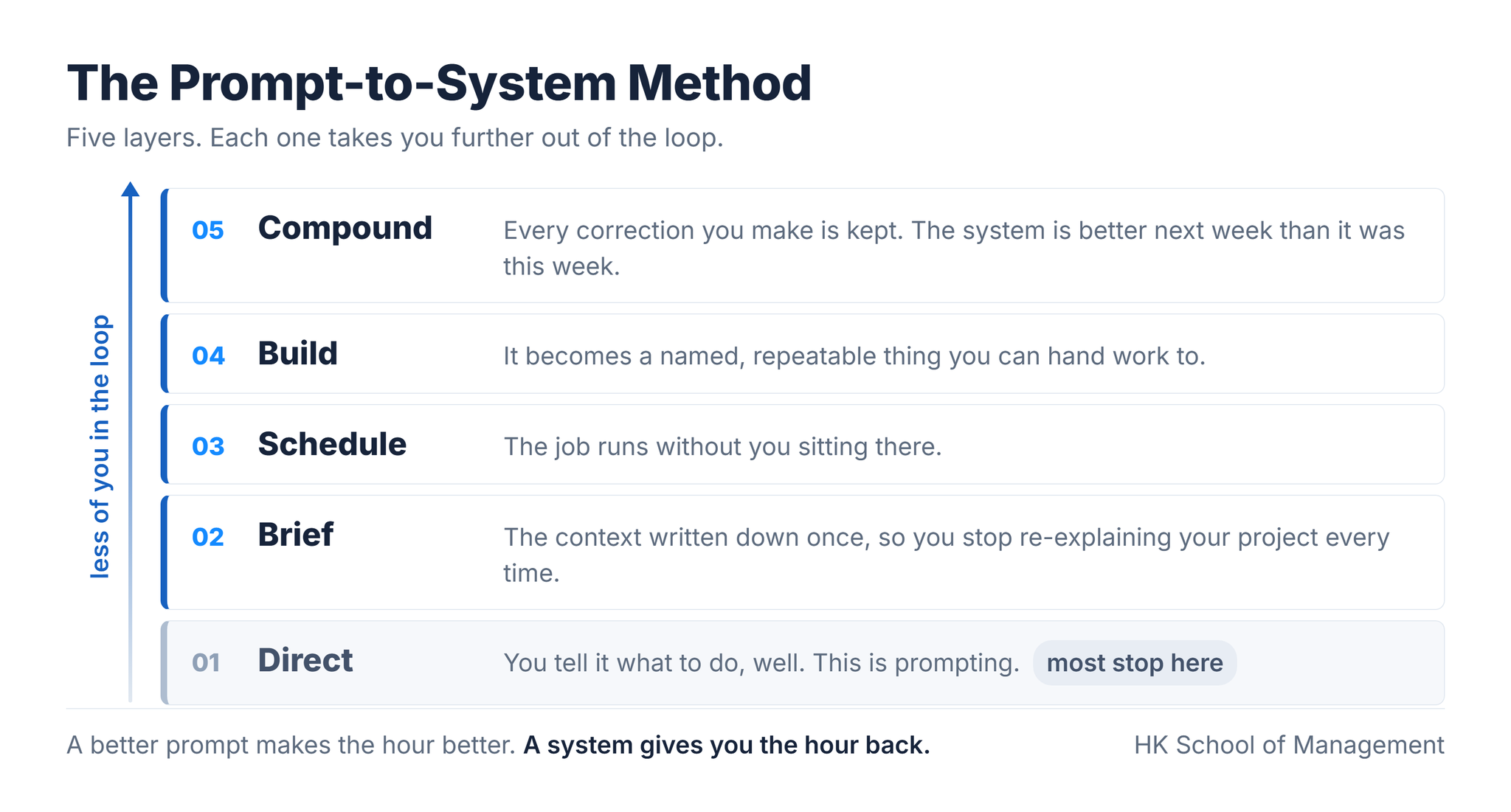
Here is the one thing worth believing: you do not need to be technical, and you do not need to code. The real opportunity is to stop using AI like a chatbot, and to build simple, repeatable systems that do the work for you. The method has five layers.
Where it came from: three dismissals
The method did not come from a textbook. It came from being wrong three times. The person who built this course spent twenty years running delivery teams and could code, which is exactly why it took so long to see what AI was for. In their words:
I dismissed ChatGPT, then agents, then CoWork. The turn came with one folder holding every document from a project, one prompt, and a free tool. It thought for about fifteen minutes. Inside the output folder was work that would have taken me three days. All I had to do was check it.
That prompt became a skill, a written procedure that runs the same way every Monday. Then a friend in marketing, who has never written a line of code, showed how most of his week ran on its own, set up in plain English. The lesson was not about the technology. It was about who it is for. You do not need to write systems any more. You need to brief them, the same way you brief a team.
Every layer of the method is a step from that story, in that order. If you want to see where the boundaries between the pieces sit, our post on skills, MCP, plugins and subagents sorts them by the job each one does.
"I am not technical enough to build this."
Even if the method works, I manage projects. I do not build software, and I am not going to start now.
You do not have to. Briefing a system uses three skills you already use every week, and none of them is technical. We call it Scope, Delegate, Accept: our three-step framework for handing work to an AI system.
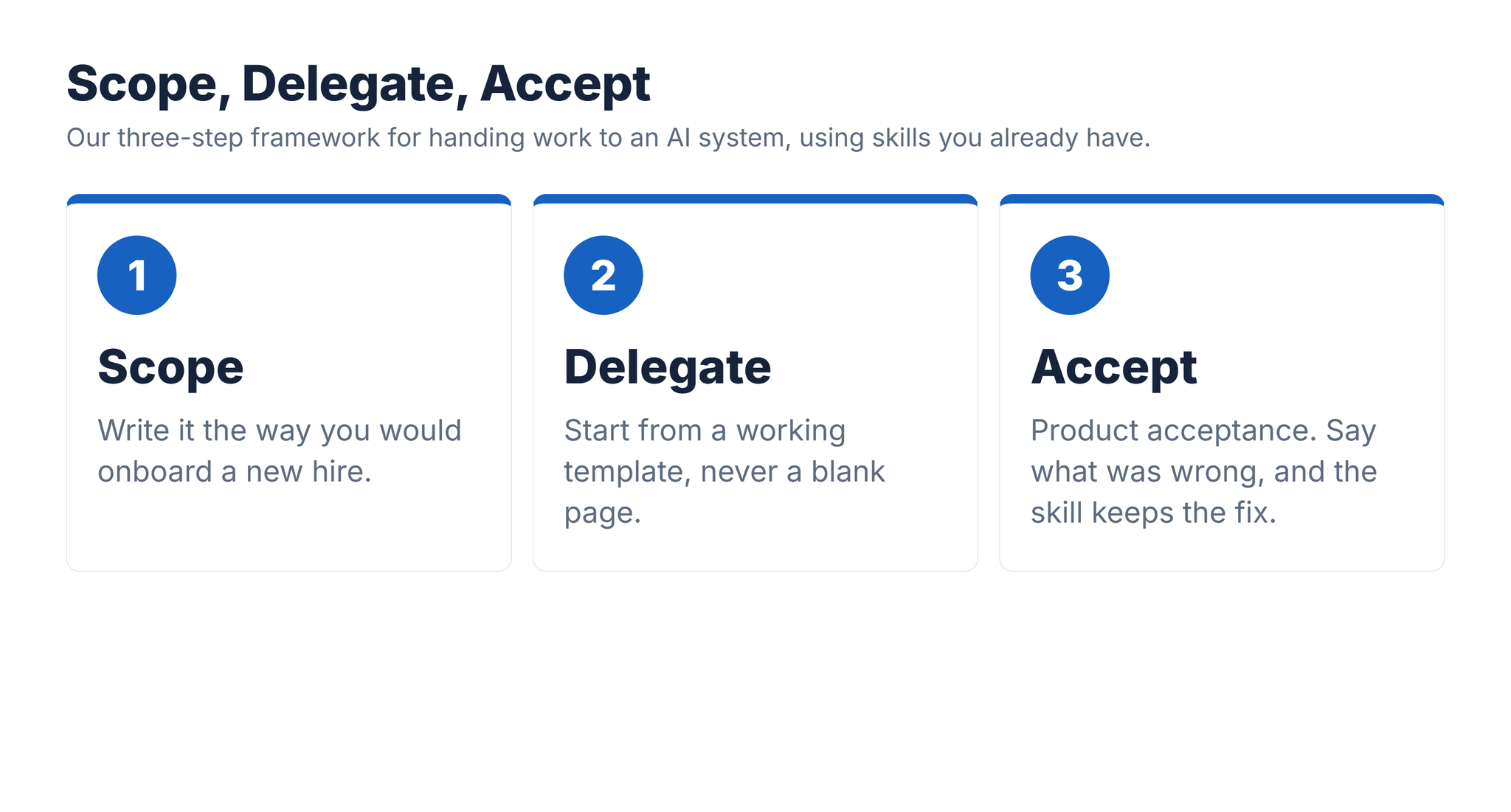
Scope is a statement of work, or features and stories: what the job is for, what good looks like, what to leave alone, where the inputs live. A skill is kinda like an onboarding document for a very fast new colleague. Delegate means starting from a working template rather than a blank page, so you adjust something that already runs. Accept is product acceptance: when the output is wrong, say what was wrong, and the skill keeps the fix.
"I do not have the time, and my employer will not allow it."
I am too busy to learn the thing that would make me less busy. And even if I learned it, security would never approve it.
That is the trap, and the way out is not more time. It is one evening spent on one thing. We call it the One-Hour Payback: our four-step framework for finding the time, without taking it from your job.
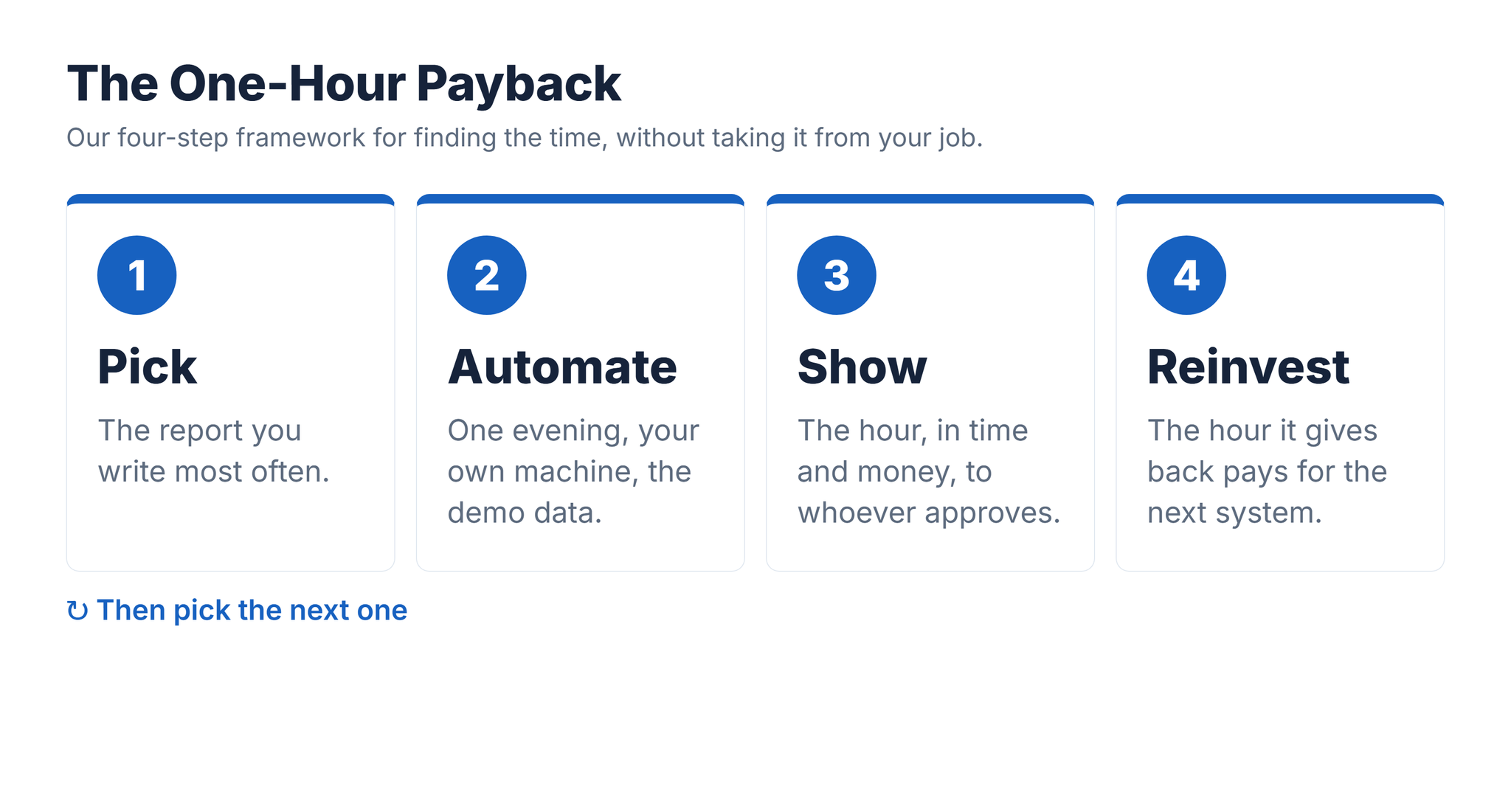
Pick the report you write most often, not the hardest one. Automate it in an evening, on your own machine, against demo data, so no company data moves and nobody has to approve anything yet. Show the result to whoever approves, in hours and money rather than tools, because people approve results, not software they have never seen work. Reinvest the hour it gives back into the next system.
Check the arithmetic against your own week. One hour a week is fifty hours a year, more than a full working week. When you do want it at work, ask for a sandbox and a pilot, not a blanket yes, and never put work data into a personal account.
"I could learn all this free on YouTube, and it will change next month anyway."
The tools change every few months. Why pay for something I can piece together from free videos?
Some of it, you can. But most of it is made for developers, some of it ends in an upsell, and little of it is about delivery work. And yes, the tools will change. That is exactly why you learn the method. Prompting did not stop mattering when the models changed, and neither will building systems. The method is not even a Scrum method: Scrum is simply the first system you build, because you already know it, and the same method builds a system for whatever you run next.
What free does not give you is a project that runs from the first lecture to the last, working files built on real sprint data, and somebody who answers when you get stuck. Our post on a real AI sprint summary and the four things it got wrong shows why that last part matters: the errors are where the learning is.
What is in the course
AI Systems with Claude is our paid course for Scrum Masters and Agile Project Managers. You start in CoWork, which needs no setup, and connect it to a real sprint board. You learn the one prompting framework that matters, install Claude Code, teach it your context and connect your tools. Then you build five working systems.
- The course: seven sections, taught against one running project from the first lecture to the last
- Five working systems, yours to keep: the Sprint Report Machine, the Retro Intelligence System, the Stakeholder Comms Engine, the Backlog Health Monitor and the Risk and Dependency Tracker
- The starter system, running on day one, so your first result arrives before the theory does
- Seventy-six working files: board exports, standup notes, four sprints of retrospectives, backlog and risk data
- Three framework one-pagers: the method, the prompting framework and the context file
- The community, where questions are answered by the person who built the course
- The support promise: ask anything the course does not answer, and we work with you until your system is running
- Prompt and Content Engineering, a nine-page guide to the first layer
Thirty days: if you have completed less than a quarter of the course and it is not what you needed, write to us and we will refund you. The current price, and the value of each item, are on the course page.
The part worth keeping
The ceiling is not your prompting. It is that you are still in the loop every single time. Five layers take you out of it, one at a time, and the skills that build them are ones you already use: scoping work, handing it over, and accepting what comes back. The first skill you build is just a page of clear instructions. You have been writing them your whole career.