
Claude Chat
Your guideWhenever something feels technical, ask. Step-by-step setup instructions in plain words, for your own machine.
 HK School of
An online course for people who manage projects
84 video lessons · 8 sections · one payment, yours forever
Most project managers use AI like a smarter search box.
One question in, one answer out, then back to work. Very few have built something that keeps working after the chat window closes.
If you manage projects, you already have most of the skills this takes. You write scopes of work. You write procedures. You onboard people. A Claude skill is exactly that kind of document: a written procedure that tells Claude how to do one job, the same way every time.
Each one owns a routine job you do every week. One writes your standup summary. Another reads weeks of standup notes and spots the patterns you missed. A third prepares your sprint report on a schedule, so when you sit down on Monday it is waiting for your review.
Most people assume building this takes a software developer. A few years ago, that was true. Today you build it by writing instructions in plain English. No code, no programming language. There is a learning curve and a few tools to install, and this course walks you through both, with one running project from the first lesson to the last.



Four things, each with one job.
None of them is a programming language.
Whenever something feels technical, ask. Step-by-step setup instructions in plain words, for your own machine.
You describe what you want. It creates the files that make up your system, and you approve each step.
It runs your routine tasks on a schedule you set, while your computer is awake. Monday morning, the report is waiting.
A plain-English briefing file: your team's vocabulary, your standards, what good output looks like. Claude reads it at the start of every session.
Start small. Five steps.
The mistake we see most often is a do-everything agent on day one: hours of polishing, a fragile result, the real problem untouched. This is the other path.
Something predictable, a little boring and a little annoying: a standup summary, a stakeholder update, a weekly backlog check.
Then say: turn these steps into a skill called standup summary. Claude Code builds the skill for you.
Tell Claude what was wrong and ask it to update the skill itself. The fix sticks for every future run. That is what makes a system self-improving.
An agent is a specialist with its own instructions and the skills it needs. It works through the job on its own. You describe its job in plain English; Claude Code builds it with you.
The agent does the job. Cowork decides when it runs. Once it works on one project, copy it to the next project and the next team.
One skill that saves fifteen minutes a week returns about thirteen hours a year. Reinvest them, and the next skill comes faster.
Five working systems, built in the capstone against one running project.
Jordan's team at NovaSprint: five developers, two-week sprints, work tracked in Linear, and the same four problems every sprint.

The report runs as a scheduled skill instead of a Friday afternoon writing session.

Finds the themes that come back across four sprints, with the evidence to take to the people who can remove the impediment.

Drafts the update from the project's facts. You read it, adjust it and press send.
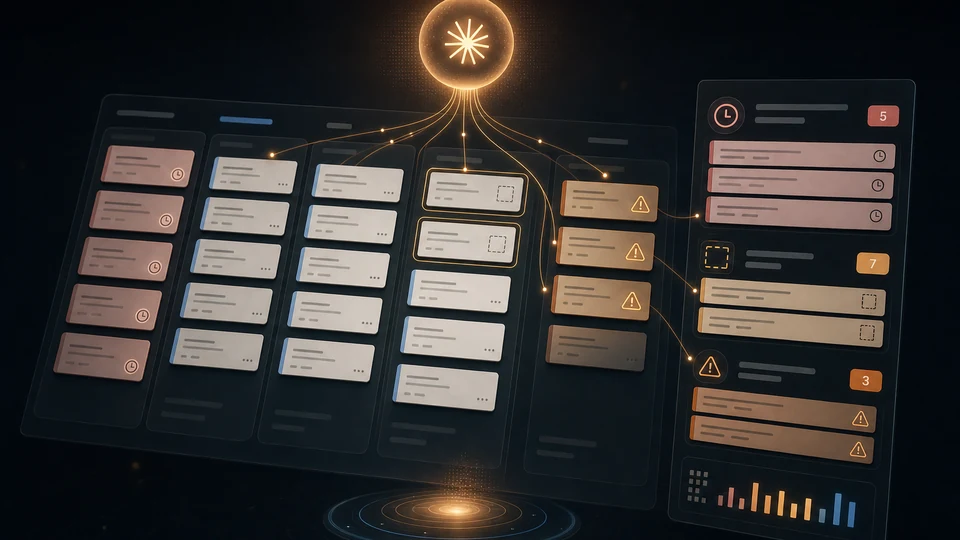
Checks the backlog every week and flags what is stale, unsized or blocked.

Keeps the risk register current and follows the dependencies between teams.

One hundred ready skills across five libraries. The add-on at checkout, for US$97 with the course.
Straight from the course, as the students see them.
Nothing is loaded from a video site; the lessons play here.
What students say about HKSM courses. This course is new, so these are from other HKSM courses, each labelled with its course.

"Very clear and crisp, straight to the point."

"Really useful. I will definitely be able to use many of these techniques and prompts. I was not expecting this to be so practical."

"I'm quite familiar with Lean from previous work, but this course is great because it gets to the point and explains concepts clearly. I don't feel like there's any wasted time."

"A great introduction to project management fundamentals. Clear explanations, well-structured content, and a solid starting point for absolute beginners."
Eight sections, 84 video lessons, one running project.
Every section adds one layer to what you take home at the end.
What you will build, the three tools, and the running project: Jordan, a Scrum Master at NovaSprint, and the four problems every sprint brings.
Your scheduled assistant: projects and instructions, your first session, scheduling, the skills directory, MCP for non-developers, connecting Linear.
From chatting to directing: the RGCCO framework, prompting for delegation, content engineering, common mistakes, reusable skills.
Why Claude Code, installing it on Windows, the terminal demystified, how Claude Code thinks, your first build, permissions and controls.
VS Code, CLAUDE.md, a project structure for PM work, real inputs, output formats, slash commands, your own skills, sub-agents and hooks.
Node and Python, Linear via MCP, the pattern that generalises, your skills library strategy, a sprint report skill, a visual sprint report.
The five systems, your project set-up, installing the skills library, what is in it, skills ownership, rolling it out to your team safely.
Your skills are not locked to one tool: Claude Code and Codex command by command, what ports cleanly and what breaks, choosing your tool.
All you have to do is say maybe.
And you keep everything in the course, forever.

Total value $4,502
Today, just $497 USD one payment
Already have an HKSM account? Use the same email at checkout and the course is added to it.
A paid Claude subscription is required to build the systems and is not included.

Thirty days. If you have completed 50 percent or less of the course and it is not what you needed, write to us and we refund you.
And there is a promise that runs the other way. We do not stop at the last lecture. Ask anything this course does not answer, in the community, and we work with you until your system is running. If a lecture is not clear and a written answer is not enough, we record a video explaining it.
You will finish this course with a working self-improving system. If you do not, we keep working with you until you do.
Yes. The systems you build run in your own Claude account, which is a separate paid subscription to Anthropic and is not included in the course price. It is not something we resell or mark up, and you keep the account whatever you do with the course.
Demonstrate an outcome rather than asking permission for a tool. Use your own machine and the demo data supplied with the course, so no company information needs to move anywhere for you to learn this. When you do want it at work, ask for a sandbox and a pilot rather than a blanket yes.
No. Two lectures exist purely to explain why you are not becoming a developer. You need to scope work, write it down so somebody else can act on it, and judge whether what came back is acceptable. You have been doing that for years.
Prompting is layer one of five, and it is genuinely foundational. The other four layers are what turn a good prompt into something that runs without you. If you already prompt well, layers two to five are the course.
The video runs about five hours. Built along with the exercises, which is how it is meant to be taken, it runs closer to eleven. You can have the first system running in an evening.
See our learning-hours record and claiming guide. Your certification body decides eligibility; report only your actual eligible learning time.
Thirty days, and if you have completed 50 percent or less, write to us and we refund you.
Pick one weekly task tonight, write its steps, and test them. That page is your first skill. You already know how to write it; you have been writing them your whole career. The course turns that page into a system that runs without you.